
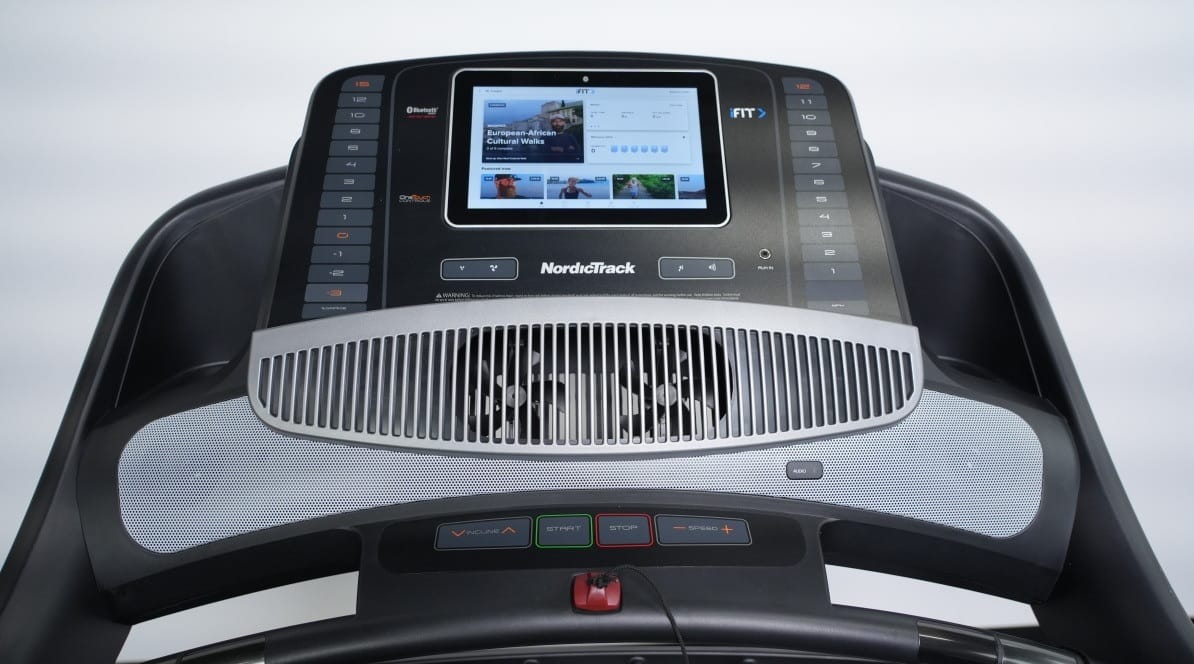

Your NordicTrack or ProForm console goes blank and nothing brings it back. You call iFIT support. They run through a few steps, cannot see anything happening on screen, and then deliver the verdict: hardware failure. Not covered under warranty. New console: $400 to $800.
Here is the problem with that diagnosis: it is often wrong, and in many cases iFIT knows it.
What Is Actually Happening
NordicTrack and ProForm treadmills, bikes, and ellipticals run on Android-based touchscreen consoles manufactured by Icon Fitness (now rebranded as iFIT). These consoles are tablet computers running proprietary iFIT software over a standard Android base.
There is a known, documented software failure pattern:
- The iFIT application crashes or the Android OS encounters a fatal error during boot or during an update.
- The console enters a boot loop — it restarts repeatedly, showing partial startup screens, logos, or error screens, then shuts off and tries again.
- After a number of failed restart cycles, the console firmware disables the display backlight or halts the boot sequence entirely. The screen goes completely dark.
- The machine appears dead.
By the time you call iFIT support, Step 3 has already happened. All they can see is a blank screen. They cannot go back in time to observe the boot loop. And because they cannot confirm a software failure, they default to the only remaining explanation they are willing to accept: hardware failure.
Why This Classification Matters
iFIT warranty terms draw a sharp line between software issues (covered) and hardware failures (often not covered, or covered only partially). Console replacements fall under hardware coverage, which means a denied warranty claim, a purchase order for a new console, and a bill that can run hundreds of dollars.
The console replacement business is profitable. A technician visit to document a software failure costs iFIT money. Selling a replacement console makes money. The incentive structure does not favor the customer.
This is not speculation — it is a straightforward business outcome that happens when a company controls both the warranty terms and the diagnostic process for failures that are genuinely ambiguous.
The Most Common Trigger: iFIT Software Updates
The boot loop failure most frequently occurs after an iFIT software update that installs incorrectly, after a power interruption during an update, or after a factory reset that fails to complete. These are software events. The hardware — the display, the board, the power supply — is typically functional.
Technicians who have opened these consoles after an iFIT-declared hardware failure regularly find working hardware. The issue is a corrupted partition or a failed update process that can often be resolved with the right tools and access.
What You Should Do Before Calling iFIT
If your NordicTrack or ProForm console is showing any activity at all — even a brief logo flash, a partial screen, anything — record a video with your phone before it goes completely dark. This is the only contemporaneous evidence of a boot loop, and it is the most useful thing you can provide when disputing a warranty denial.
Video evidence of a boot loop changes the conversation. It demonstrates that the console was attempting to start, that the Android OS was loading at least partially, and that the failure occurred during or after software execution — not before. That is a software failure, not a display hardware failure.
Additional steps that help:
- Note the exact date and any software updates that preceded the failure.
- Photograph any error messages or codes that appear during the boot loop.
- Document your serial number and purchase date before the screen goes dark permanently.
- Request everything from iFIT in writing: their diagnosis, their warranty determination, and their reasoning.
Escalation Options If iFIT Denies Your Claim
File a BBB complaint. Icon Fitness / iFIT has an extensive complaint history with the Better Business Bureau. Filing a complaint with your documentation sometimes prompts a resolution that phone support will not offer.
Dispute with your credit card. Many credit cards offer extended warranty protection or dispute rights for products that fail to perform as warranted. Contact your card issuer with your evidence.
Request a supervisor escalation. Front-line iFIT support has limited authority. Ask specifically for the warranty escalation team and reference your evidence of a software failure.
Get an independent technician diagnosis. A written diagnosis from a qualified third-party technician documenting the failure as software-related carries weight in a warranty dispute or credit card claim.
How 2EZ TEK Can Help
We have serviced NordicTrack and ProForm equipment across the Dallas Fort Worth area for years. We know what a legitimate console hardware failure looks like, and we know what a software crash looks like. They are not the same thing.
When we diagnose a console issue, we document what we find — not what the manufacturer wants the conclusion to be. If the hardware is functional and the failure is software-related, we say so in writing. That documentation can be the difference between a covered repair and a $600 out-of-pocket console replacement.
We can also attempt console recovery for software failures that iFIT will not support. In many cases, a corrupted firmware partition can be addressed without replacing the entire console assembly.
If your NordicTrack or ProForm console has gone dark and iFIT is pushing you toward a hardware replacement, call us before you spend that money. We serve the Dallas Fort Worth area and have seen this exact scenario more times than we can count.